
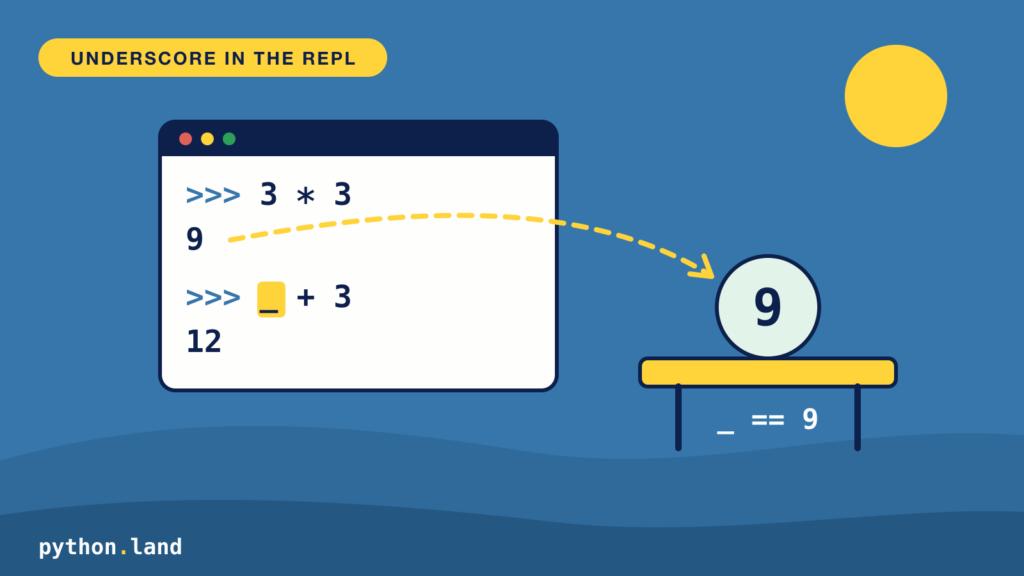
You can obtain the result of the last expression in a Python REPL with the underscore, _. It’s not an operator but a variable that the REPL fills in for you. In the Python REPL, this looks like:
>>> 3 * 3
9
>>> _ + 3
12Code language: Python (python)
This is handy when you use the REPL as a calculator, or when you call a function and forget to store the result in a variable. Instead of running it again, you grab it with _:
>>> sorted([3, 1, 2])
[1, 2, 3]
>>> numbers = _
>>> numbers
[1, 2, 3]Code language: Python (python)When the underscore doesn’t change
The REPL only updates _ when an expression produces a value that it prints. A function like print() returns None, so _ keeps its old value:
>>> 3 * 3
9
>>> _ + 3
12
>>> print("hi")
hi
>>> _
12Code language: Python (python)
There’s one trap. If you assign something to _ yourself, you create a normal variable called _, and the REPL’s automatic version stops working:
>>> _ = 100
>>> 2 * 2
4
>>> _
100Code language: Python (python)
To get the old behavior back, delete your variable with del _.
The underscore in IPython
This works in the IPython shell too. In addition, the IPython shell allows you to use Out[n] to get the value of the expression In[n]. E.g., Out[1] would give us the number 9 in the example below:
In [1]: 3 * 3
Out[1]: 9

In [2]: Out[1] + 3
Out[2]: 12

In [3]: _ + 3
Out[3]: 15Code language: Python (python)
IPython goes one step further: __ (two underscores) gives you the second-to-last result, and ___ (three underscores) the one before that:
In [1]: 1 + 1
Out[1]: 2

In [2]: 2 + 2
Out[2]: 4

In [3]: 3 + 3
Out[3]: 6

In [4]: print(_, __, ___)
6 4 2Code language: Python (python)
The underscore as a throwaway variable
Outside the REPL, in your own programs, _ has no special meaning. It’s an ordinary variable name. By convention, Python programmers use it for a value they don’t need. For example, when you want to repeat something a few times, but don’t care about the loop counter, or when you unpack a tuple and want to skip one of the values:
for _ in range(3):
    print("Hello!")

name, _, age = ("Monty", "Python", 45)
print(name, age)Code language: Python (python)
Output:
Hello!
Hello!
Hello!
Monty 45Code language: Python (python)
That’s also why you shouldn’t use _ as a throwaway variable while working in the REPL: as you saw above, assigning to it switches off the “last result” feature. You can read more about the REPL, including how to use its history, in the Python REPL tutorial.